Tag: WaiterOne

  • Take Control of Orders with WaiterOne’s COS (Client Ordering System)

    Take Control of Orders with WaiterOne’s COS (Client Ordering System)

    Imagine this: your customers scan a QR code, browse your menu, place their orders, and even pay all from their own smartphone. No apps to download, no tablets to hand out. That’s the power of WaiterOne’s COS, our streamlined Client Ordering System designed to supercharge restaurant service both in-house and online.

    What Is COS?

    COS is a web-based platform that lets your customers order directly from their phones—whether they’re seated at a table, ordering takeaway, or getting delivery. Built to integrate directly with WaiterOne, COS ensures a seamless experience from order to kitchen, without the chaos of paper tickets or miscommunication.

    Why We Built It

    The journey began with iPads at every table, but that quickly became impractical. We pivoted to something much smarter: leveraging the power of the device every customer already has—their smartphone. After extensive development, COS became a universal web app that runs anywhere, on any browser, no downloads required.

    Key Features of COS

    • 📱 Runs on any device: Smartphones, tablets, or desktop computers.
    • 🧩 Fully integrated with WaiterOne: No need to re-enter your menu. Your existing buttons and groups are synced.
    • 🏠 In-house or remote: Whether it’s a table-side order, pick-up, or delivery, COS handles it all.
    • 💳 Online payments: Integrated with Mollie for fast, secure transactions.
    • ⚡ Real-time updates: Orders arrive in WaiterOne instantly and can print directly to kitchen or bar printers.

    How It Works for Your Customers

    1. Scan a QR code (on a table, receipt, or your website).
    2. View the menu directly from their browser.
    3. Place the order with optional payment.
    4. Order arrives in WaiterOne, with full details and kitchen printouts.

    For dine-in, we even include service buttons clients can request the bill or call a server, all without leaving their seat.

    Simple Setup, Powerful Configuration

    From your WaiterOne iPad:

    • Activate the Client Ordering System.
    • Select which menu groups and items appear online.
    • Upload images, descriptions, and organize menu priority.
    • Choose delivery settings, pick-up options, and tax configurations.
    • Customize your COS page branding (logo, text, tags, colors).

    Want to offer different prices for delivery vs. dine-in? COS handles that. Need multiple VAT levels for local compliance? Done. Want to add a beautiful picture of your famous tiramisu? Just take a photo right inside WaiterOne.

    Smart QR Codes for Every Situation

    WaiterOne automatically generates:

    • 📦 Delivery/pick-up QR codes for takeaway flyers or website links.
    • 🍽️ Table QR codes that identify the exact table where the order came from (even printing the table name).

    No extra software or QR code generators needed.

    Where Orders Go: The COS Page in WaiterOne

    All incoming orders appear in the COS tab inside WaiterOne. From there, you can:

    • Accept or reject orders
    • Automatically send them to the kitchen
    • View deleted or missed orders
    • Check system status manually

    It’s a familiar interface, modeled after our Kitchen Display System (KDS), so your team can use it with zero learning curve.


    Ready to Let Your Clients Order Smarter?

    COS is your gateway to faster, smarter, and more customer-friendly service. Whether you run a local café or a busy multi-location restaurant, COS gives you a modern, elegant way to connect with today’s tech-savvy diners at the table or at home.

    Visit https://www.waiter.one to see it in action or activate it today directly inside WaiterOne.

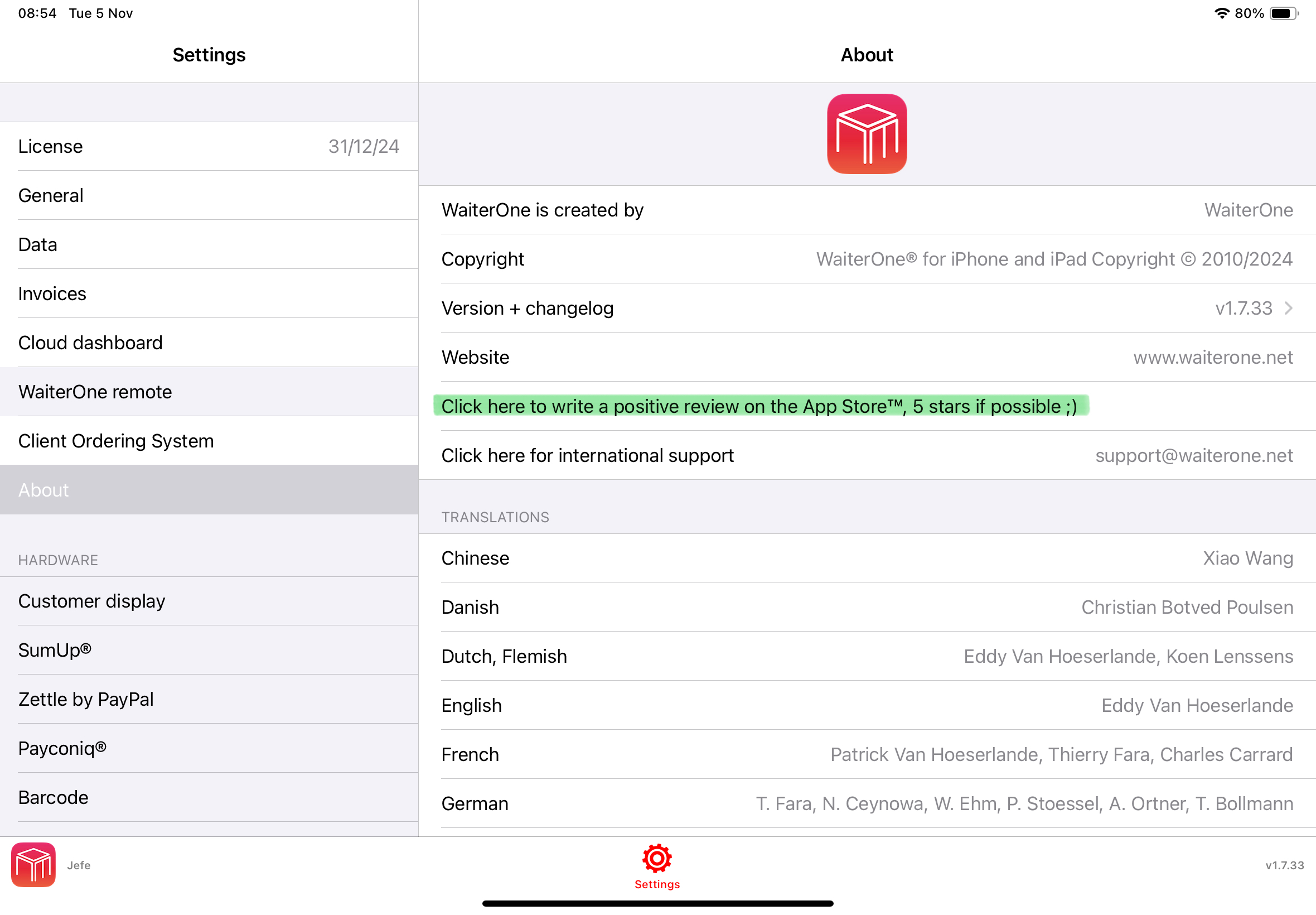
    WaiterOne allows easy QR code integration, enabling customers to scan, view the menu, and place orders directly from their mobile devices. This enhances service speed, reduces contact, and improves the overall dining experience. Under settings, you can find this feature.
  • Real-Time Order Tracking with Order Status Board

    Real-Time Order Tracking with Order Status Board

    Boost Kitchen Efficiency with the WaiterOne Status Board

    In the fast-paced world of hospitality, timing and communication are everything. That’s why we’re excited to spotlight a feature in WaiterOne’s Kitchen Display System (KDS) that’s transforming back-of-house operations: the Status Board.

    What Is the Status Board?

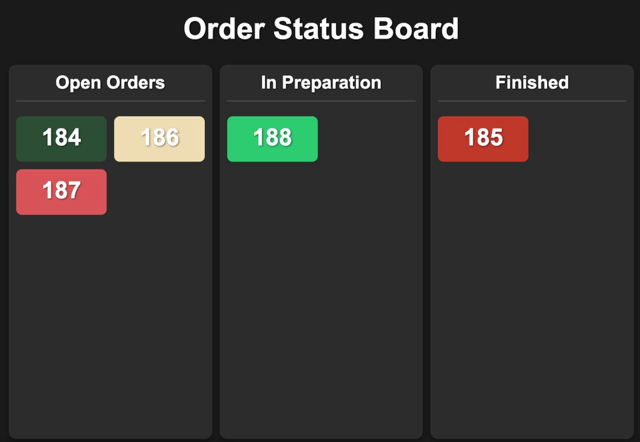
    The Status Board is a live dashboard within WaiterOne’s KDS that gives a real-time overview of all active orders. Designed with both speed and clarity in mind, it displays each order as it moves through the preparation pipeline from “In Preparation”, to “Ready”, and finally to “Completed”.

    It’s a visual command center that keeps everyone chefs, waitstaff, and even front-of-house managers on the same page.

    Why It Matters

    Without a centralized system, orders can easily fall through the cracks. Waiters might ask the kitchen for updates. Chefs might have to pause their workflow to give answers. Customers might wait longer than necessary. But with the Status Board:

    • 🧑‍🍳 Kitchen staff can focus on cooking, while tracking progress without the need for paper tickets or verbal confirmations.
    • 👩‍💼 Restaurant managers get a clear, live view of operations even from the dining room.
    • 🍽️ Clients receive their food faster and fresher, with fewer delays and mix-ups.

    Real-Time, Real Simple

    As orders are received in the kitchen (whether from a waiter using the WaiterOne POS or a self-ordering iPad at the table), they instantly appear on the Status Board. Once a dish is prepared, kitchen staff can tap to mark it “Ready”, signaling the front-of-house team to serve. When the dish reaches the customer, the status moves to “Completed”.

    It’s fast. It’s clear. And it reduces the need for spoken communication during peak hours helping everyone stay focused and efficient.

    Benefits at a Glance

    • ✅ Fewer mistakes: Everyone sees the same order status, reducing the chance of missed or repeated dishes.
    • ✅ Faster service: Orders are prioritized and served without delay.
    • ✅ Smarter communication: No shouting across the kitchen — just a glance at the screen.
    • ✅ Customer satisfaction: A smoother workflow means a better dining experience.

    Ready to Upgrade Your Kitchen?

    If you’re already using WaiterOne, activating the Status Board on your KDS is a simple and powerful way to streamline your kitchen workflow. Whether you’re running a cozy café or a high-volume restaurant, this feature can help you serve faster, smarter, and with more confidence.

  • Fiskaly Compliant 

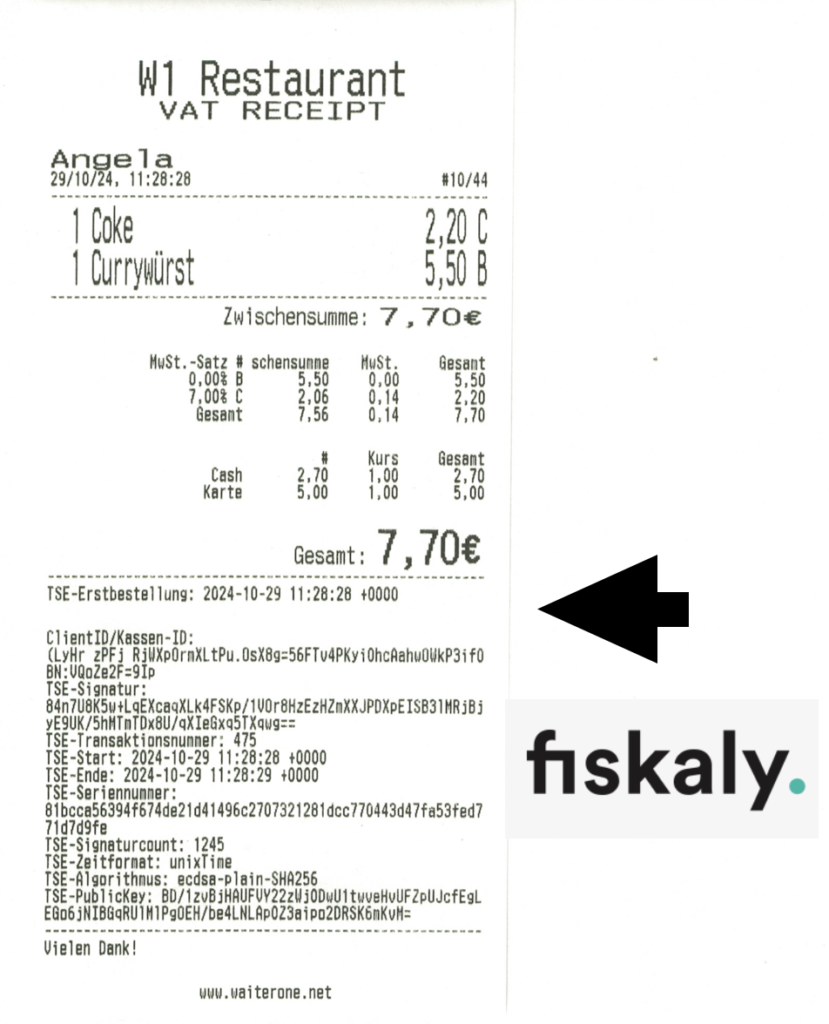
    Stay Compliant with Ease: WaiterOne Integrates Seamlessly with Fiskaly

    At WaiterOne, we know that running a hospitality business isn’t just about speed and service it’s also about staying compliant with ever-changing regulations. That’s why we’ve integrated Fiskaly, a leading cloud-based fiscalization provider, directly into the WaiterOne POS system.

    What Is Fiskaly?

    Fiskaly is a trusted provider of Technical Security Systems (TSS) designed specifically for European markets. Their cloud-based infrastructure helps businesses meet national fiscal laws—particularly those related to digital receipts and tamper-proof transaction storage.

    Used widely across Germany, Austria, Italy, and Spain, Fiskaly ensures compliance with laws like Germany’s KassenSichV (Cash Register Security Ordinance) and similar fiscalization standards in other EU countries.

    Why It Matters for You

    With this integration, WaiterOne users can:

    • 💶 Handle payments with confidence
      Every transaction is recorded, secured, and transmitted through Fiskaly’s TSS.
    • 📄 Generate and store digital receipts securely
      No more manual paperwork. Receipts are automatically logged and accessible in the cloud.
    • ✅ Meet KassenSichV and other national requirements
      Stay on the right side of fiscal authorities with a system designed for compliance.
    • ☁️ Enjoy a hassle-free cloud setup
      No hardware installations or complex configurations everything runs securely online.

    Simple Setup, Seamless Experience

    Activating the Fiskaly integration in WaiterOne is quick and intuitive. Once enabled, the system takes care of the rest in the background you keep serving guests, while we handle the legal side.

    Whether you’re operating a café in Berlin, a pizzeria in Milan, or a tapas bar in Barcelona, you can focus on what matters most delivering great food and service while we help ensure your operations meet national standards.


    One POS. Total Compliance.

    WaiterOne and Fiskaly bring together powerful POS features and airtight fiscal compliance. It’s one less thing for you to worry about and one more reason to trust WaiterOne as your go-to POS solution in Europe.

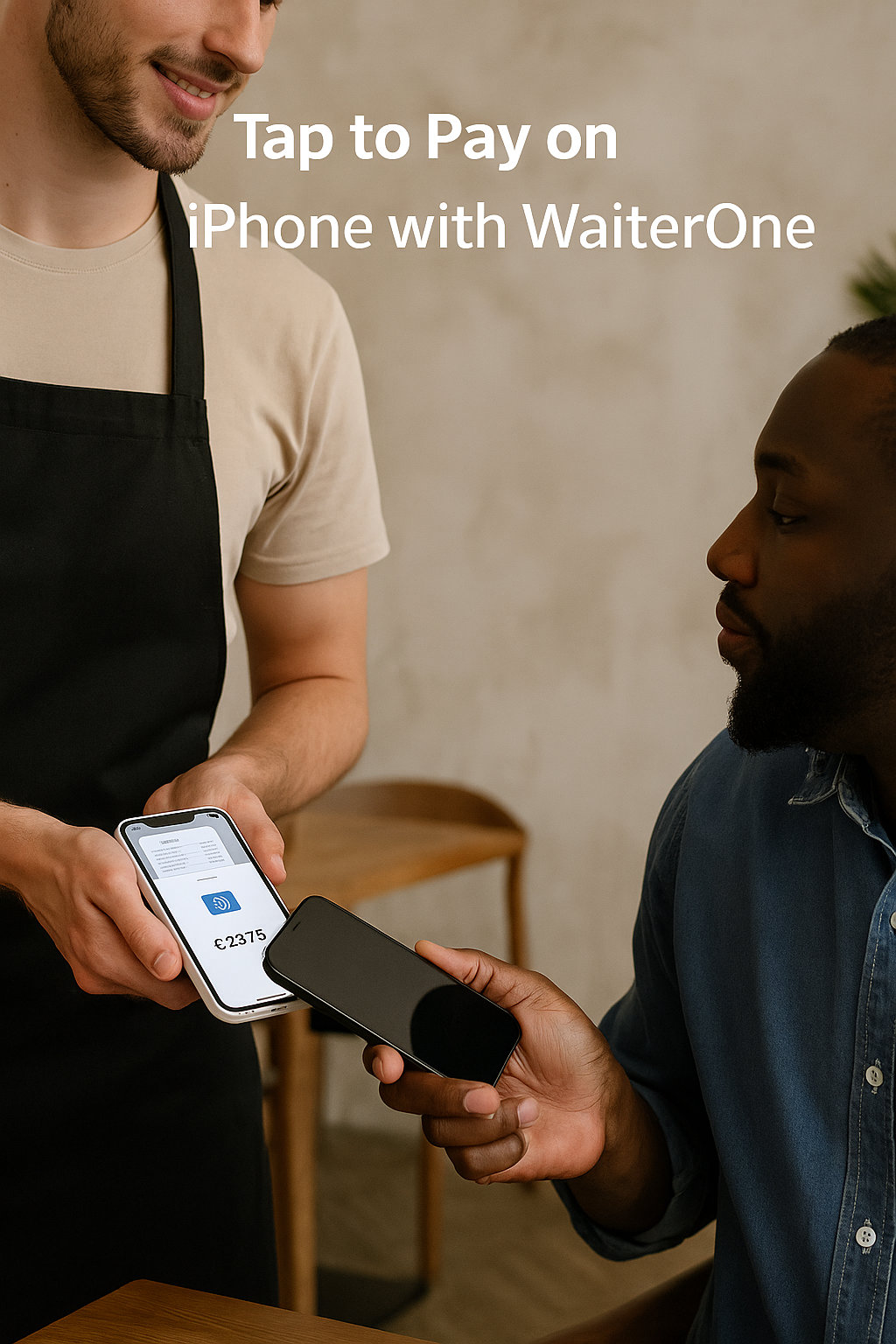
  • Introducing Tap to Pay on iPhone with WaiterOne  No Extra Hardware Required

    Introducing Tap to Pay on iPhone with WaiterOne No Extra Hardware Required

    We’re excited to announce a powerful new feature for WaiterOne users: Tap to Pay on iPhone is here! Accept contactless payments directly from your iPhone no card reader, no cables, no extra hardware. This modern solution makes payments easier, faster, and more secure, right from the palm of your hand.


    Why Tap to Pay?

    Tap to Pay uses your iPhone’s built-in NFC (Near Field Communication) to accept payments. Customers simply tap their contactless card, smartphone, or smartwatch on your iPhone to complete the transaction.


    Top Benefits

    ✅ No hardware required
    Just use your iPhone no extra terminals or readers.

    ⏱ Faster service
    Take payments directly at the table or on the move.

    🔐 Secure by design
    Protected by Apple’s security features like tokenization and biometric authentication no card data is stored.

    📲 Supports all major payment methods
    Accept Visa, Mastercard, Apple Pay, Google Pay, and more.

    💶 Lower costs
    No hardware to buy, no complex setup just your existing Apple devices.


    How to Set It Up with WaiterOne

    Activating Tap to Pay is quick and easy:

    1. On your main iPad
      • Go to Settings > SumUp
      • Enable Tap to Pay on iPhone
    2. On your iPhone (WaiterOne Remote)
      • Open the WaiterOne Remote app
      • Go to Settings
      • Tap on SumUp
      • Enable Tap to Pay and follow the on-screen instructions (this setup is done once per device)

    That’s it you’re ready to accept Tap to Pay payments!

    📱 Requirements: iPhone XS or newer running iOS 16.4 or higher


    FAQs

    • 💳 Any payment limits?
      No there’s no limit on how much you can receive with Tap to Pay.
    • 🔐 Is it secure?
      Yes. All transactions are encrypted, and Apple ensures no card data is stored on the device.
    • 💡 What do customers do?
      Just tap their card or phone on your iPhone no swiping, no signing, no hassle.

    Ready to Accept Tap to Pay?

    With WaiterOne and Tap to Pay, your business becomes more agile and modern fewer delays, no hardware headaches, and a smoother checkout experience for your guests.

    Upgrade now to Tap to Pay on iPhone and simplify your payments at no extra cost.