Tag: KDS

  • 10 Key Benefits of Using Kitchen Display Systems (KDS)

    10 Key Benefits of Using Kitchen Display Systems (KDS)

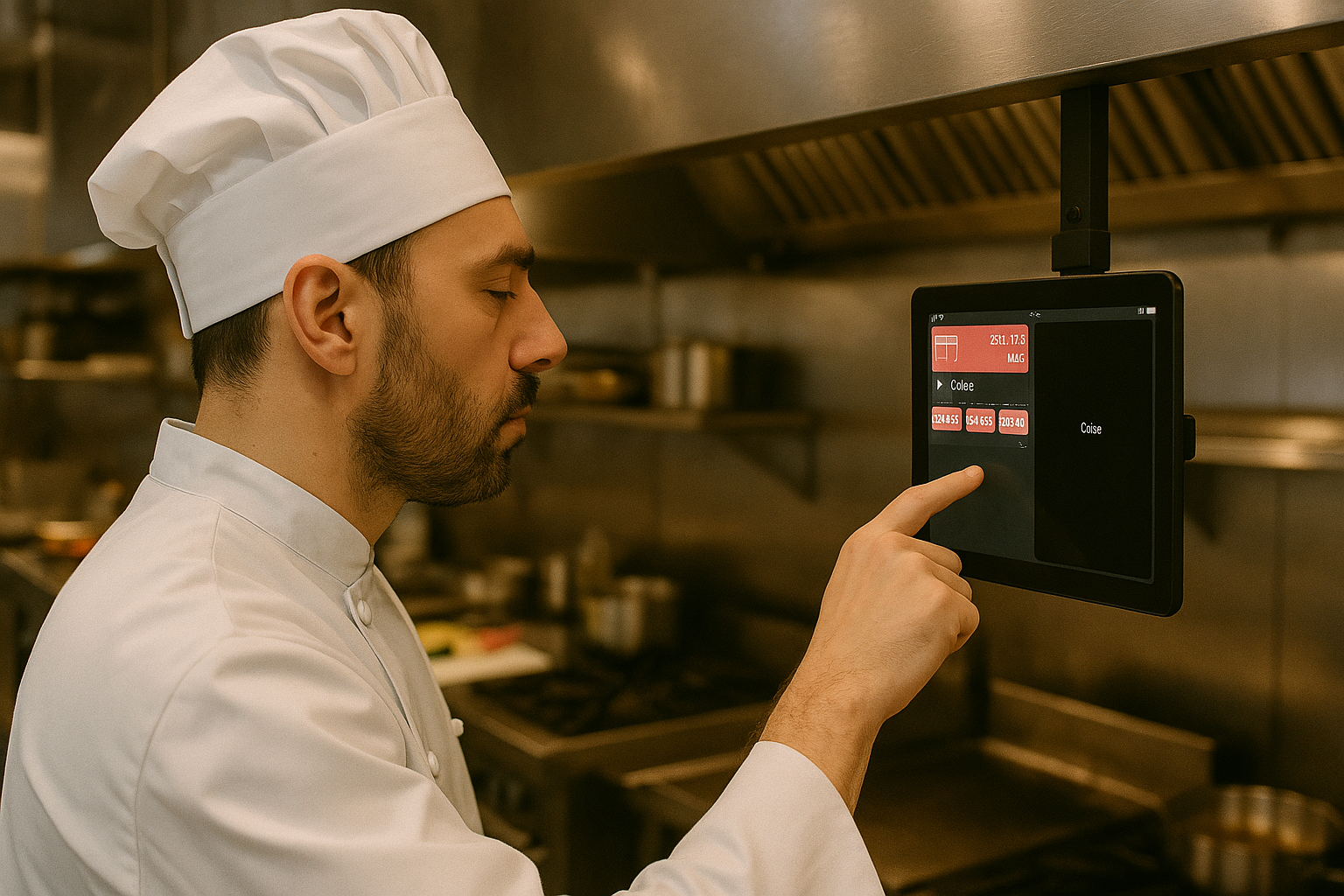
    In the fast-paced hospitality environment, efficiency makes all the difference. If you’re managing a restaurant, bar, or café, you know the challenges: lost tickets, communication breakdowns, and staff frustration impacting productivity. Kitchen Display Systems (KDS) provide a digital solution, replacing traditional paper tickets with easy-to-use bump bars or touchscreens, streamlining your workflow.

    Here are ten essential benefits of adopting KDS screens in your business:

    1. Faster Order Processing & Shorter Wait Times

    Speed is critical in hospitality. A KDS instantly sends orders from your POS system directly to kitchen, bar, or coffee stations.

    Benefits:

    • ✅ Eliminates delays from unclear handwriting or verbal miscommunication.
    • ✅ Real-time order updates allow immediate preparation.
    • ✅ Easily track orders marked as “in progress” or “ready for pickup.”

    The result? Customers receive orders quicker, boosting satisfaction and loyalty.

    2. Enhanced Order Accuracy & Reduced Errors

    Mistakes such as incorrect or missed orders lead to frustration, waste, and lost revenue. A KDS drastically improves accuracy.

    Benefits:

    • ✅ Clearly displayed digital orders eliminate confusion from messy handwriting.
    • ✅ Special requests and modifications (e.g., “no onions,” “extra espresso shot”) are prominently displayed.
    • ✅ Staff confirm details before preparing orders, significantly cutting down errors.

    Higher accuracy means reduced waste, cost savings, and happier customers.

    3. Improved Communication Between Front and Back of House

    Effective communication is key to smooth hospitality operations. Miscommunications lead to delays, confusion, and chaos.

    Benefits:

    • ✅ Front-of-house staff no longer need to manually deliver tickets, saving valuable time.
    • ✅ Immediate notifications for bar and coffee orders keep everyone informed.
    • ✅ Real-time order tracking ensures nothing gets overlooked.

    The payoff? A synchronized team delivering efficient, reliable service.

    4. Reduced Waste & Increased Profits

    Paper tickets are inefficient and wasteful. Digital order management via KDS cuts down unnecessary costs and environmental waste.

    Benefits:

    • ✅ Digital orders prevent lost or damaged tickets.
    • ✅ Reduction in food and beverage waste caused by errors.
    • ✅ Improved timing and coordination ensure orders are prepared together and served promptly.

    Fact: Implementing a KDS can save businesses thousands annually through minimized waste and operational savings.

    5. Boosted Staff Efficiency & Lower Stress Levels

    Hospitality jobs can become stressful, especially during peak times. KDS alleviates staff pressure by creating smoother workflows.

    Benefits:

    • ✅ Clearly defined tasks and workflows reduce confusion and stress.
    • ✅ Eliminates the need for shouting orders or managing messy paper tickets.
    • ✅ Less multitasking—staff can concentrate fully on preparation and service.
    • ✅ Smooth shift transitions, with clear order histories ensuring continuity.

    Less stress and clearer tasks result in happier, more productive employees, better customer service, and lower staff turnover.

    6. Cost-Effective Solution

    Benefits:

    • ✅ No extra charges—WaiterOne includes KDS as standard, avoiding additional upgrade costs.
    • ✅ Lower maintenance—Digital screens require less upkeep compared to printers and paper rolls.

    7. Easy Staff Training & Onboarding

    Benefits:

    • ✅ User-friendly interface speeds up staff training, saving time and resources.
    • ✅ Visual simplicity helps new hires become productive quickly.

    8. Enhanced Reporting & Operational Insights

    Benefits:

    • ✅ Real-time analytics to track order volumes, prep times, and operational efficiency.
    • ✅ Data-driven insights help pinpoint bottlenecks, improving overall profitability.

    9. Increased Customer Satisfaction & Loyalty

    Benefits:

    • ✅ Consistent, reliable service keeps customers returning.
    • ✅ Prompt, accurate service leads to positive reviews and enhanced reputation.

    10. Environmentally Friendly

    Benefits:

    • ✅ Eliminates paper waste and ink usage, significantly reducing your environmental impact.
    • ✅ Demonstrates your commitment to sustainability, appealing to environmentally conscious customers.

    Ready to Transform Your Hospitality Business?

    If you operate a restaurant, bar, or café, implementing a Kitchen Display System could revolutionize your business. From increased speed and accuracy to better team coordination and significant cost savings, the benefits are compelling.

    Running your hospitality business just got easier. WaiterOne provides everything you need for efficient, sustainable growth. Get in touch to discover how we can support your success.
  • Streamline Order Management with Colour-Coded Users

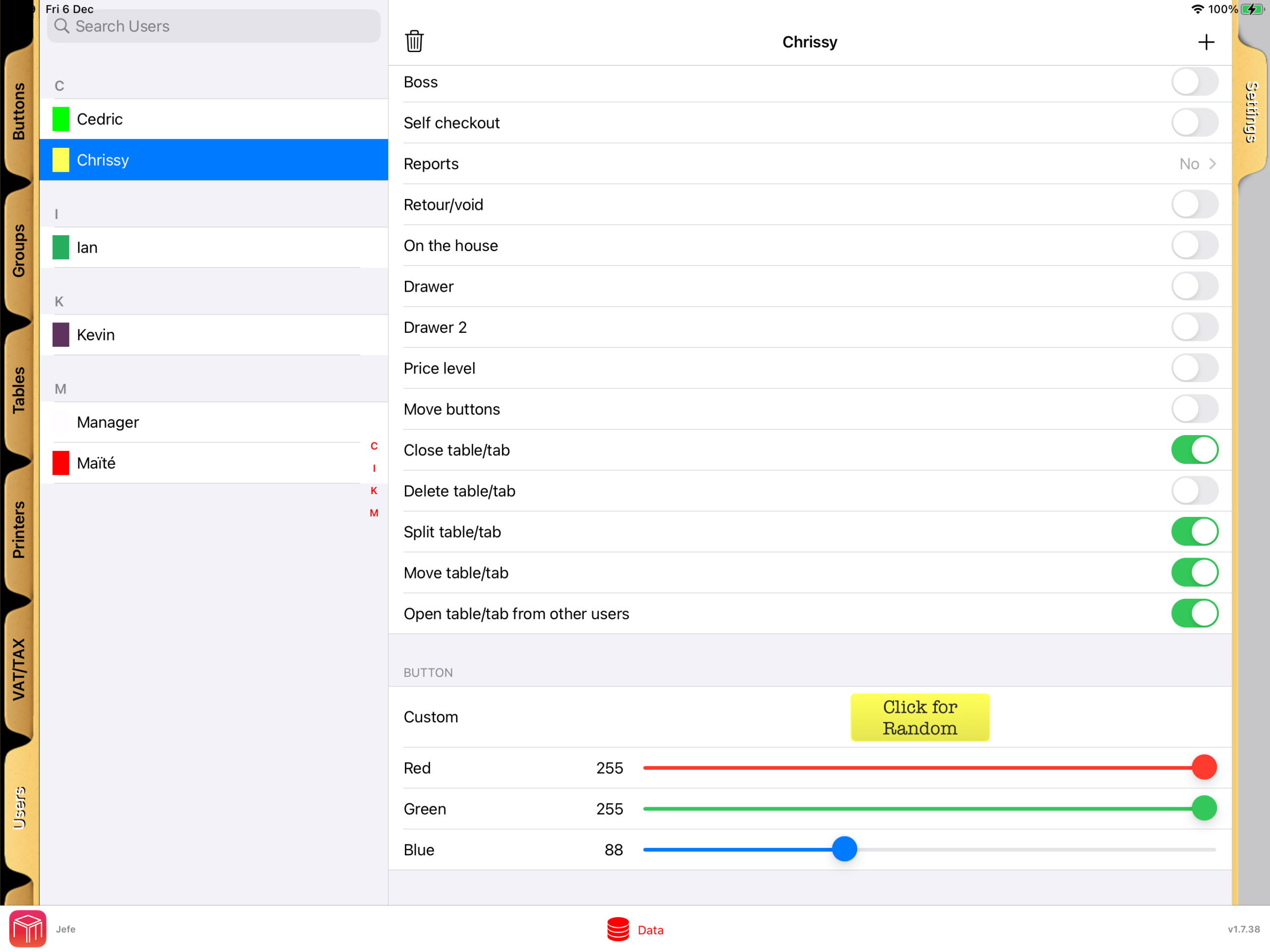
    With WaiterOne POS, managing your restaurant’s workflow becomes both intuitive and efficient. The system allows you to assign specific colours to users who are taking or entering orders, making it easy to quickly identify and prioritise tasks at a glance.

    User Rights and Table Plan Visibility

    User rights in WaiterOne.

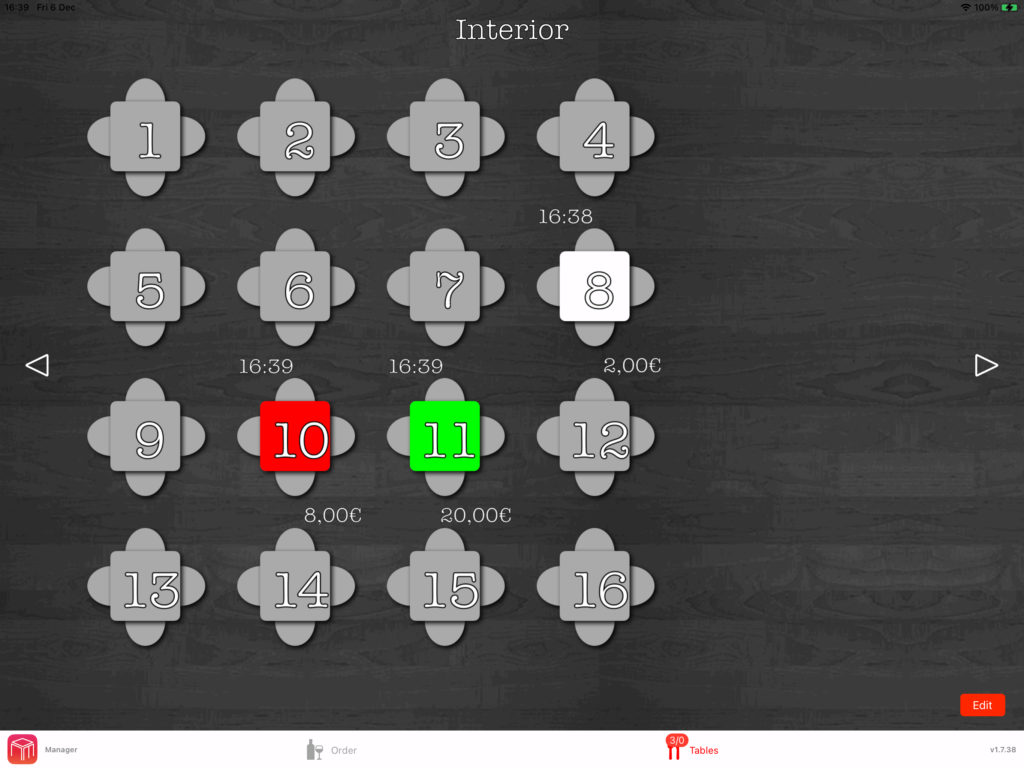
    In WaiterOne, each table on the floor plan is color-coded to match the user assigned to it. This visual cue lets you instantly see which server is responsible for each table.

    Table plan with tables in the colour of the user.

    Personalised KDS Settings

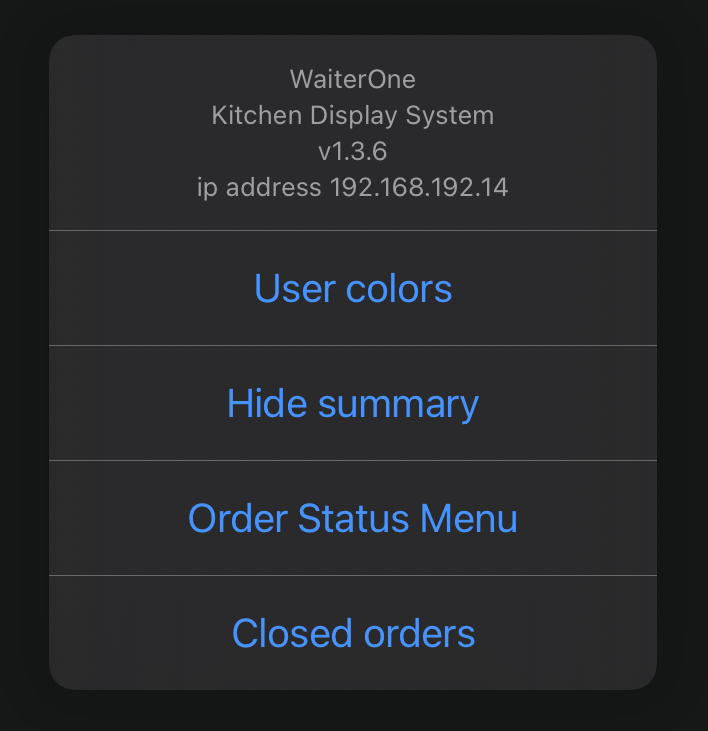
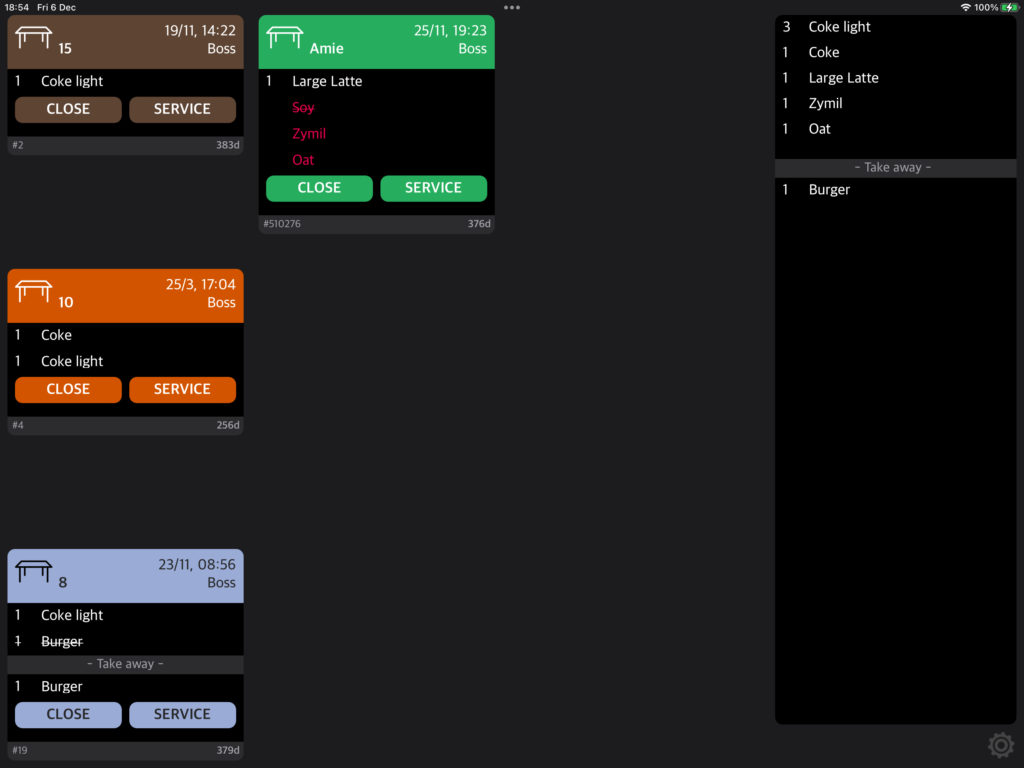
    On the Kitchen Display System (KDS), you can choose to display orders using the designated user colors or assign unique colors to each order. This customisation option ensures you can tailor the system to your workflow.

    Enhanced Communication Across Teams

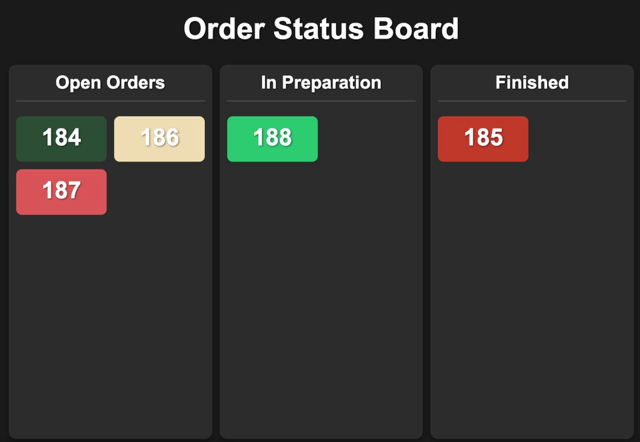
    The colour-coding system ensures seamless communication between front-of-house and back-of-house staff. When a user is assigned a specific color, it appears consistently across the status board and KDS, allowing everyone to stay aligned on order progress.

    Order status board with open, in preparation and finished orders.

    Better Organisation, Fewer Errors

    This integration enhances organisation and reduces the risk of errors, enabling your team to respond faster to customer needs. As a result, WaiterOne ensures a more streamlined dining experience, boosting customer satisfaction and improving operational efficiency.

  • More efficient kitchen with flexible KDS

    More efficient kitchen with flexible KDS

    A More Efficient Kitchen with Flexible KDS from WaiterOne

    In today’s fast-paced hospitality environment, speed, accuracy, and coordination are the keys to smooth kitchen operations. That’s why WaiterOne POS offers a powerful, flexible Kitchen Display System (KDS) designed to help restaurants streamline their order management like never before.

    What Is a KDS and Why Does It Matter?

    Kitchen Display System replaces traditional paper tickets with digital screens, helping chefs and kitchen staff instantly view incoming orders. This reduces confusion, eliminates lost or unreadable tickets, and ensures every dish gets out on time and just the way it was ordered.

    With WaiterOne’s KDS, your team can:

    • View real-time orders as they are placed
    • See clear modifiers and special requests
    • Mark items as prepared or delivered
    • Track order times to improve speed and quality

    Fully Flexible to Fit Any Kitchen Layout

    Whether you run a small bistro or a multi-station restaurant, WaiterOne’s KDS adapts to your workflow. You can set up multiple screens for different sections of the kitchen — grill, fryer, desserts, cold prep, or bar — so every team member sees only what they need.

    This flexibility allows for:

    • Faster communication between front of house and kitchen
    • More accurate food preparation
    • Reduced wait times for customers
    • Better overall service coordination

    Seamless Integration, Real-Time Sync

    WaiterOne KDS is fully integrated with the POS system, ensuring that orders appear on kitchen screens instantly and in the correct sequence. Modifications and voids are updated in real-time, minimizing errors and kitchen delays.

    And because it’s digital, there’s no paper to jam, run out, or misplace — just smooth, efficient kitchen performance.

    Improve Team Efficiency Without Adding Costs

    Unlike other systems that require expensive add-ons or complex hardware, WaiterOne’s KDS runs on affordable, commonly available screens and devices. It’s an easy-to-use, cost-effective solution that helps you:

    • Cut down on printing and paper waste
    • Speed up kitchen operations
    • Maintain consistent food quality
    • Handle high volumes with confidence

    Smarter Kitchens Start Here

    If your kitchen still relies on printed tickets or manual communication, it’s time for an upgrade. WaiterOne’s flexible KDS brings your back-of-house operations into the digital age, helping your team work faster, smarter, and with fewer errors.

  • Take Control of Orders with WaiterOne’s COS (Client Ordering System)

    Take Control of Orders with WaiterOne’s COS (Client Ordering System)

    Imagine this: your customers scan a QR code, browse your menu, place their orders, and even pay all from their own smartphone. No apps to download, no tablets to hand out. That’s the power of WaiterOne’s COS, our streamlined Client Ordering System designed to supercharge restaurant service both in-house and online.

    What Is COS?

    COS is a web-based platform that lets your customers order directly from their phones—whether they’re seated at a table, ordering takeaway, or getting delivery. Built to integrate directly with WaiterOne, COS ensures a seamless experience from order to kitchen, without the chaos of paper tickets or miscommunication.

    Why We Built It

    The journey began with iPads at every table, but that quickly became impractical. We pivoted to something much smarter: leveraging the power of the device every customer already has—their smartphone. After extensive development, COS became a universal web app that runs anywhere, on any browser, no downloads required.

    Key Features of COS

    • 📱 Runs on any device: Smartphones, tablets, or desktop computers.
    • 🧩 Fully integrated with WaiterOne: No need to re-enter your menu. Your existing buttons and groups are synced.
    • 🏠 In-house or remote: Whether it’s a table-side order, pick-up, or delivery, COS handles it all.
    • 💳 Online payments: Integrated with Mollie for fast, secure transactions.
    • ⚡ Real-time updates: Orders arrive in WaiterOne instantly and can print directly to kitchen or bar printers.

    How It Works for Your Customers

    1. Scan a QR code (on a table, receipt, or your website).
    2. View the menu directly from their browser.
    3. Place the order with optional payment.
    4. Order arrives in WaiterOne, with full details and kitchen printouts.

    For dine-in, we even include service buttons clients can request the bill or call a server, all without leaving their seat.

    Simple Setup, Powerful Configuration

    From your WaiterOne iPad:

    • Activate the Client Ordering System.
    • Select which menu groups and items appear online.
    • Upload images, descriptions, and organize menu priority.
    • Choose delivery settings, pick-up options, and tax configurations.
    • Customize your COS page branding (logo, text, tags, colors).

    Want to offer different prices for delivery vs. dine-in? COS handles that. Need multiple VAT levels for local compliance? Done. Want to add a beautiful picture of your famous tiramisu? Just take a photo right inside WaiterOne.

    Smart QR Codes for Every Situation

    WaiterOne automatically generates:

    • 📦 Delivery/pick-up QR codes for takeaway flyers or website links.
    • 🍽️ Table QR codes that identify the exact table where the order came from (even printing the table name).

    No extra software or QR code generators needed.

    Where Orders Go: The COS Page in WaiterOne

    All incoming orders appear in the COS tab inside WaiterOne. From there, you can:

    • Accept or reject orders
    • Automatically send them to the kitchen
    • View deleted or missed orders
    • Check system status manually

    It’s a familiar interface, modeled after our Kitchen Display System (KDS), so your team can use it with zero learning curve.


    Ready to Let Your Clients Order Smarter?

    COS is your gateway to faster, smarter, and more customer-friendly service. Whether you run a local café or a busy multi-location restaurant, COS gives you a modern, elegant way to connect with today’s tech-savvy diners at the table or at home.

    Visit https://www.waiter.one to see it in action or activate it today directly inside WaiterOne.

    WaiterOne allows easy QR code integration, enabling customers to scan, view the menu, and place orders directly from their mobile devices. This enhances service speed, reduces contact, and improves the overall dining experience. Under settings, you can find this feature.

  • Real-Time Order Tracking with Order Status Board

    Real-Time Order Tracking with Order Status Board

    Boost Kitchen Efficiency with the WaiterOne Status Board

    In the fast-paced world of hospitality, timing and communication are everything. That’s why we’re excited to spotlight a feature in WaiterOne’s Kitchen Display System (KDS) that’s transforming back-of-house operations: the Status Board.

    What Is the Status Board?

    The Status Board is a live dashboard within WaiterOne’s KDS that gives a real-time overview of all active orders. Designed with both speed and clarity in mind, it displays each order as it moves through the preparation pipeline from “In Preparation”, to “Ready”, and finally to “Completed”.

    It’s a visual command center that keeps everyone chefs, waitstaff, and even front-of-house managers on the same page.

    Why It Matters

    Without a centralized system, orders can easily fall through the cracks. Waiters might ask the kitchen for updates. Chefs might have to pause their workflow to give answers. Customers might wait longer than necessary. But with the Status Board:

    • 🧑‍🍳 Kitchen staff can focus on cooking, while tracking progress without the need for paper tickets or verbal confirmations.
    • 👩‍💼 Restaurant managers get a clear, live view of operations even from the dining room.
    • 🍽️ Clients receive their food faster and fresher, with fewer delays and mix-ups.

    Real-Time, Real Simple

    As orders are received in the kitchen (whether from a waiter using the WaiterOne POS or a self-ordering iPad at the table), they instantly appear on the Status Board. Once a dish is prepared, kitchen staff can tap to mark it “Ready”, signaling the front-of-house team to serve. When the dish reaches the customer, the status moves to “Completed”.

    It’s fast. It’s clear. And it reduces the need for spoken communication during peak hours helping everyone stay focused and efficient.

    Benefits at a Glance

    • ✅ Fewer mistakes: Everyone sees the same order status, reducing the chance of missed or repeated dishes.
    • ✅ Faster service: Orders are prioritized and served without delay.
    • ✅ Smarter communication: No shouting across the kitchen — just a glance at the screen.
    • ✅ Customer satisfaction: A smoother workflow means a better dining experience.

    Ready to Upgrade Your Kitchen?

    If you’re already using WaiterOne, activating the Status Board on your KDS is a simple and powerful way to streamline your kitchen workflow. Whether you’re running a cozy café or a high-volume restaurant, this feature can help you serve faster, smarter, and with more confidence.